Boundary conditions
When the interpolation stencil reaches outside the source array, GridR can either return invalid samples or fill the out-of-domain region using a boundary condition. This page shows how to choose between them.
What you’ll learn
What happens by default at the edges of your input
Available boundary modes:
edge,reflect,symmetric,constantHow boundary conditions interact with the output validity mask
Why boundary conditions require
standalone=True
Boundary condition
In this section, we will examine what occurs when interpolating data at the boundaries of the source array. To focus on a specific region of interest, we will crop the source array and store the relevant portion in a new buffer.
win_center = np.array((58, 175)) # left eye
win_shape =  np.array((80, 80))
win = np.array((win_center - win_shape//2, win_center - win_shape//2 + win_shape - 1)).T

array_in_cropped = np.empty(win_shape, dtype=array_in.dtype, order='C')
array_in_cropped[:] = array_in[win[0][0]:win[0][1]+1, win[1][0]:win[1][1]+1]

We generate an identity grid that spans the entire domain of the source image. By utilizing the resolution parameter, we apply a zoom factor of 4x.
# First create identity grid
zoom = 4
if image.ndim == 2:
    x = np.arange(0, array_in_cropped.shape[0], dtype=grid_dtype)
    y = np.arange(0, array_in_cropped.shape[1], dtype=grid_dtype)
xx, yy = np.meshgrid(x, y)

# Lets call the grid resampling
array_out_cropped_zoom, array_out_cropped_zoom_mask = array_grid_resampling(
        interp="cubic",
        array_in=array_in_cropped,
        grid_row=yy,
        grid_col=xx,
        grid_resolution=(zoom,zoom),
        array_out=None,
        win=None,
        array_in_mask=None,
        grid_mask=None,
        array_out_mask=True,
        nodata_out=None,
        trust_padding=False,
        )
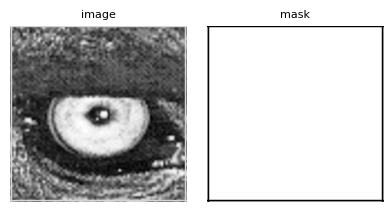
We have just performed a 4x zoom in both directions using a cubic interpolator. This interpolator has a radius of 2, which means that when interpolating near the edges of the image, it needs to access positions outside the source image domain.
# Left output edge
np.round(array_out_cropped_zoom[4:9, 0:7], 2), array_out_cropped_zoom_mask[4:9, 0:7]
(array([[127.  ,    nan,    nan,    nan, 118.  , 102.01,  79.31],
        [118.77,    nan,    nan,    nan, 116.18, 101.47,  80.01],
        [107.62,    nan,    nan,    nan, 116.44, 103.69,  83.93],
        [ 96.67,    nan,    nan,    nan, 115.73, 105.36,  88.05],
        [ 89.  ,    nan,    nan,    nan, 111.  , 103.18,  89.31]]),
 array([[1, 0, 0, 0, 1, 1, 1],
        [1, 0, 0, 0, 1, 1, 1],
        [1, 0, 0, 0, 1, 1, 1],
        [1, 0, 0, 0, 1, 1, 1],
        [1, 0, 0, 0, 1, 1, 1]], dtype=uint8))
As observed, the cubic interpolator returns NaN (the value set for nodata_out) for output column indexes 1, 2, and 3. These indexes correspond to source column positions at 0.25, 0.5, and 0.75, respectively. The interpolation requires accessing column values at the source’s negative column position -1, which is not available. This invalidates the output mask for these positions, resulting in NaN values in the output image.
To address these edge cases, the boundary_condition parameter (default = None) can be set. This parameter handles scenarios where the interpolation requires positions outside the source image domain. The accepted values are a subset of the numpy.pad accepted values for the mode parameter, including:
‘edge’: Pad with the edge values of the array (repeat boundary values).
‘constant’: Fill with a constant value. The value
0is used (and currently forced) by GridR in this case.‘reflect’: Mirror reflection without repeating the edge values.
‘symmetric’: Mirror reflection with edge values repeated.
It is important to note that when a boundary condition is applied, interpolated values are not systematically invalidated by the output mask. This is because the mask itself is subject to the same boundary condition, ensuring consistency in the handling of edge cases.
The boundary_condition parameter requires the standalone parameter to be set to True, which is the default value. More over, in order to be considered valid, the boundary_condition needs the trust_padding parameter to be set to True (default value). We will explore those features in more detail in the next section.
Now, let’s apply a ‘reflect’ boundary condition and examine the effect on the output data.
# Lets call the grid resampling with a boundary condition
array_out_cropped_zoom_reflect, array_out_cropped_zoom_mask_reflect = array_grid_resampling(
        interp="cubic",
        array_in=array_in_cropped,
        grid_row=yy,
        grid_col=xx,
        grid_resolution=(zoom,zoom),
        array_out=None,
        win=None,
        array_in_mask=None,
        grid_mask=None,
        array_out_mask=True,
        nodata_out=None,
        boundary_condition="reflect",
        standalone=True,
        trust_padding=True,
        )
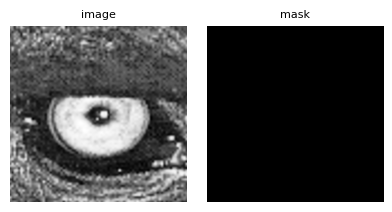
# Left output edge after reflect
np.round(array_out_cropped_zoom_reflect[4:9, 0:7], 2), array_out_cropped_zoom_mask_reflect[4:9, 0:7]
(array([[127.  , 127.4 , 127.31, 124.82, 118.  , 102.01,  79.31],
        [118.77, 119.96, 121.73, 121.37, 116.18, 101.47,  80.01],
        [107.62, 110.25, 115.36, 118.8 , 116.44, 103.69,  83.93],
        [ 96.67, 100.52, 108.52, 115.36, 115.73, 105.36,  88.05],
        [ 89.  ,  93.  , 101.5 , 109.25, 111.  , 103.18,  89.31]]),
 array([[1, 1, 1, 1, 1, 1, 1],
        [1, 1, 1, 1, 1, 1, 1],
        [1, 1, 1, 1, 1, 1, 1],
        [1, 1, 1, 1, 1, 1, 1],
        [1, 1, 1, 1, 1, 1, 1]], dtype=uint8))
As you can see, all output data is now valid and there are no more NaN values.