Getting started: your first resampling
This first tutorial walks you through the simplest possible call to array_grid_resampling: an identity transform on a reference image. It establishes the inputs and outputs you’ll reuse throughout the series.
What you’ll learn
How to import and call
array_grid_resamplingWhat an identity transformation grid looks like
The shape of the function’s return value
(array_out, mask_out)How to let GridR allocate the output buffer for you
Setting things up
First we have to import the array_grid_resampling method.
We also import the well known mandrill raster image.
from gridr.core.grid.grid_resampling import array_grid_resampling
from gridr.misc.mandrill import mandrill
Please note the mandrill image has 3 color’s channels.
Here we limit the image to the first channel and convert its type to 64 bits floating points.
image = mandrill[0]
grid_dtype = np.float64
data_in_dtype = np.float64
data_out_dtype = np.float64

array_in = image.astype(data_in_dtype)
Identity grid transform
We start by defining the identity transform grid.
That’s not really impressive but we will go further later to illustrate some variants (windowing, zooming, …)
Let’s first create the identity transformation grid.
# create identity grid
if image.ndim == 2:
    x = np.arange(0, image.shape[0], dtype=grid_dtype)
    y = np.arange(0, image.shape[1], dtype=grid_dtype)
xx, yy = np.meshgrid(x, y)
Simple identity transform
The array_grid_resampling method provides the array_out argument in order to use a preallocated C-contiguous array as output. It is quite convenient when implementing a tiling chain that uses that method.
For now, we choose to keep it simple : by setting array_out to None we let the method allocate the output buffer for us.
We have defined the rows and columns grids to be at full resolution, ie. there is one coordinate in the grids for each pixel in the output image. To stay at that resolution we set grid_resolution to 1 in both directions.
The array_grid_resampling function returns a tuple of two NumPy arrays. For now, we will focus on the first one — it contains the allocated output buffer, which holds the result of the interpolation.
For the interpolation method, we will primarily use the cubic identifier, which refers to the Optimized Bicubic interpolation algorithm. Other available interpolators include nearest, linear, bspline3, bspline5, bspline7, bspline9, and bspline11.
Note that the B-spline interpolators require additional parameters, which are detailed further in this guide.
# Lets call the grid resampling
array_out_id, _ = array_grid_resampling(
        interp="cubic",
        array_in=image.astype(data_in_dtype),
        grid_row=yy,
        grid_col=xx,
        grid_resolution=(1,1),
        array_out=None,
        win=None,
        array_in_mask=None,
        grid_mask=None,
        array_out_mask=None,
        nodata_out=None,
        array_in_origin=None,
        standalone=True,
        boundary_condition=None,
        trust_padding=False,
        )
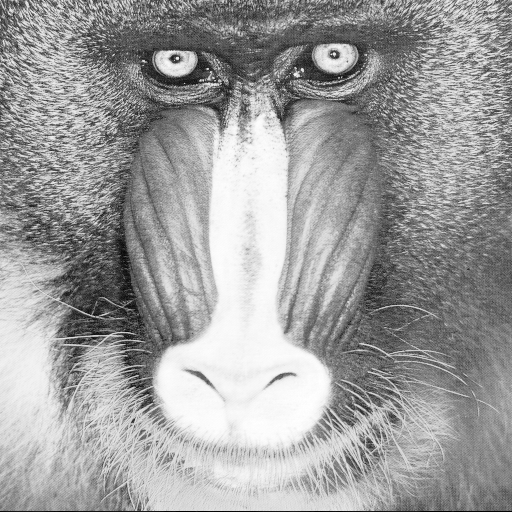
In the following test we compare input with output. It must succeed !
np.testing.assert_almost_equal(array_in, array_out_id, decimal=10)